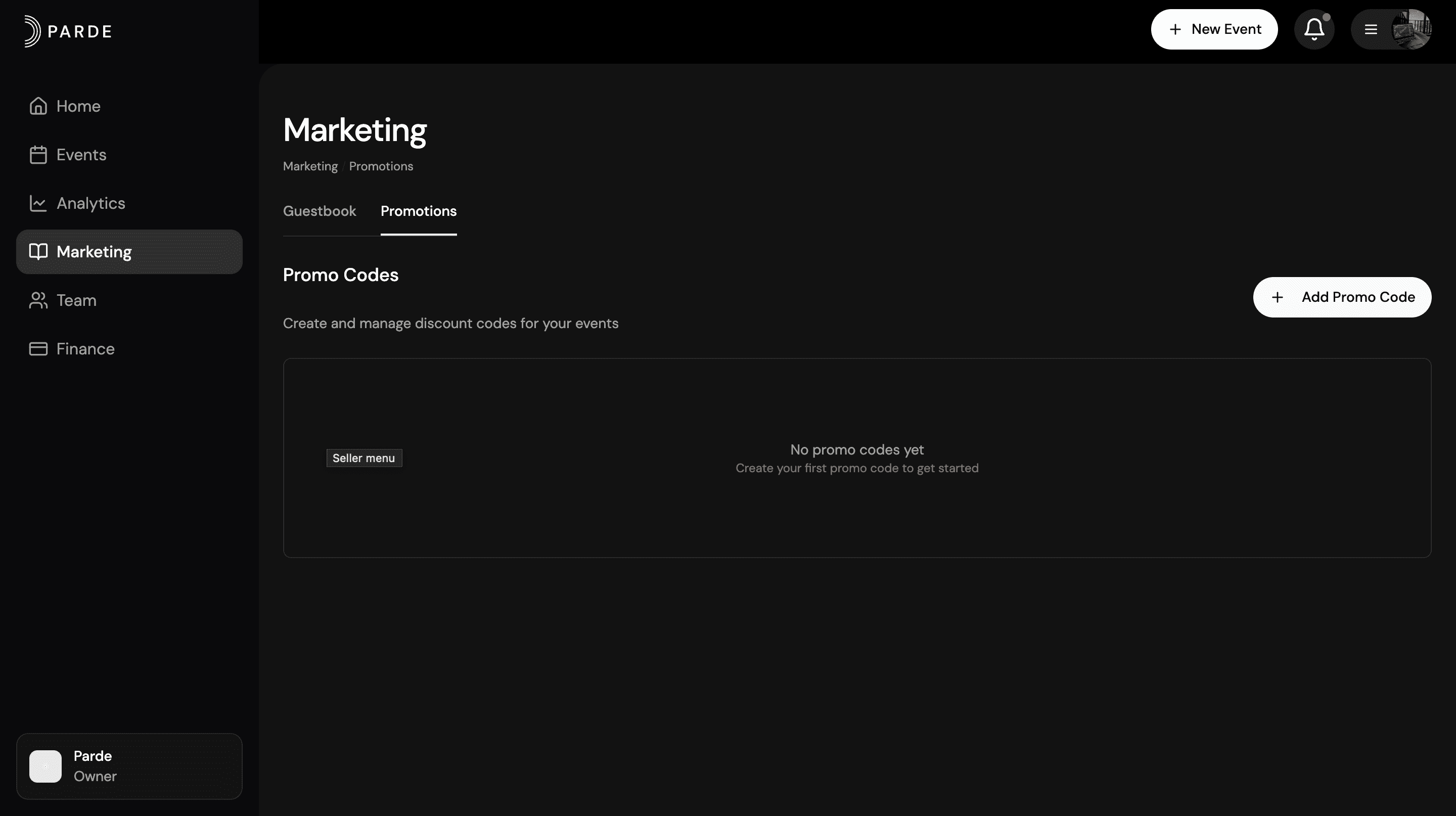
How to Use Marketing Page
The steps below outline the required process for creating a promo code on Parde. For a more detailed explanation, please refer to the full promotions guide.
Switch to the Seller Side.
Go to the Marketing page.
Click on Promotions.
Click Add Promo Code.
Select the Discount Type and choose the option you need.
Click Create Promo Code.
Done! Your promo code has been successfully created.
PERCENTAGE DISCOUNT VS FIXED AMOUNT DISCOUNT
Percentage Discount
A discount based on a percentage of the price.
Example: 20% off a $100 ticket = $20 discount.
Fixed Amount Discount
A specific amount reduced from the price.
Example: $20 off a $100 ticket = $20 discount.
How to Set Usage Limits for a Promo Code
Switch to the Seller Side.
Go to the Marketing page.
Click on Promotions.
Select an existing promo code or click Add Promo Code.
Find the Usage Limits section.
Set the maximum number of times the promo code can be used (e.g., 50 total uses).
Save your changes or click Create Promo Code.
Done! Your promo code now has usage limits applied.
USAGE LIMIT
Usage limit means how many times a promo code can be used.
For example: If you set the limit to 20, the code will work only 20 times. After that, it stops working.
How to access Guestbook
The steps below outline the required process for accessing the Guestbook on Parde. For a more detailed explanation, please refer to the full Guestbook management guide.
Switch to the Seller Side.
Go to the Marketing page.
On the main page, you will see the Guestbook section.
Done! You can now access and manage your Guestbook.
How Guestbooks works
The Guestbook is a list of all people who have ever bought tickets for your events.
It shows important information about each guest, such as:
Their name and phone number
What tickets they bought
How many times they attended
Their last visit
Organizers can manage this list:
Add new guests
Delete guests
Add notes about guests
In short:
Guestbook helps organizers keep track of their attendees and manage guest information easily.