How to Duplicate an Event
The steps below outline the required process for duplicating an event on Parde. For a more detailed explanation, please refer to the full event management guide.
Switch to the Seller Side.
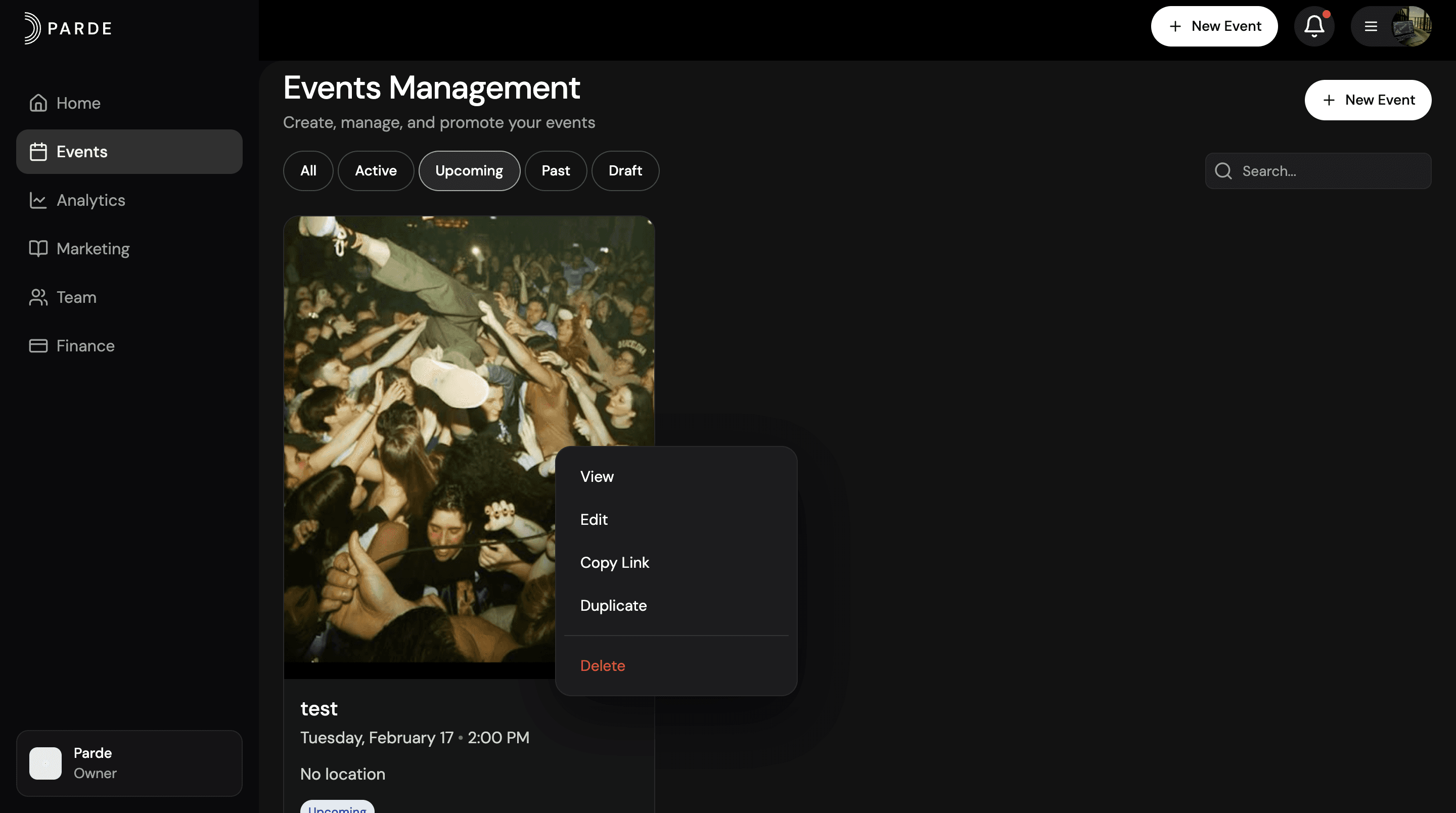
Go to the Events page.
Right-click on the event you want to duplicate.
Select Duplicate.
Choose Full Duplication or Duplicate Without Tickets.
Edit the necessary information and save your changes.
Publish the duplicated event.
Done! Your event has been successfully duplicated and is ready to go.
When to Use Duplicate
Use Duplicate when you want to create a similar event quickly.
For example:
If you’re repeating the same event
If you want to reuse the same settings or tickets
It saves time and avoids creating everything from scratch.